General Information Required :
- software version
- scanner model
- screenshots or recordings (help to know when an issue occurs)
- If possible, project files
PC Configuration informations :
- Download the provided Get PC Specs
.batfile from the attachment below. Double click it, when prompted, press any key to continue.
the PC configuration summary will be saved to systeminfo.txt :
Logs collection Instructions :
IMPORTANT : Always collect most recent log or log files related to the date of your issue/crash !
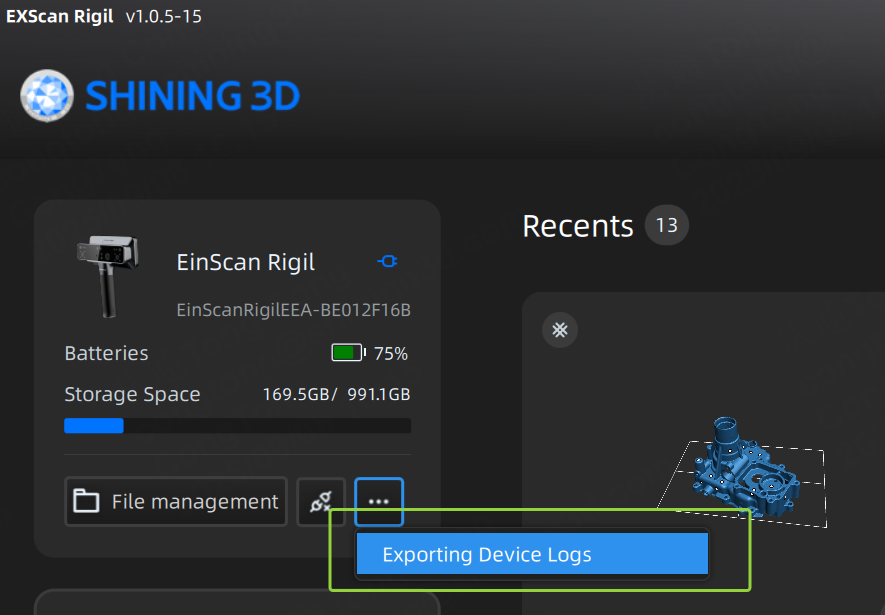
1. Connect you Rigil to your EXScan Rigil software
2. On top left corner under the point tab click on Exportinge Device logs.