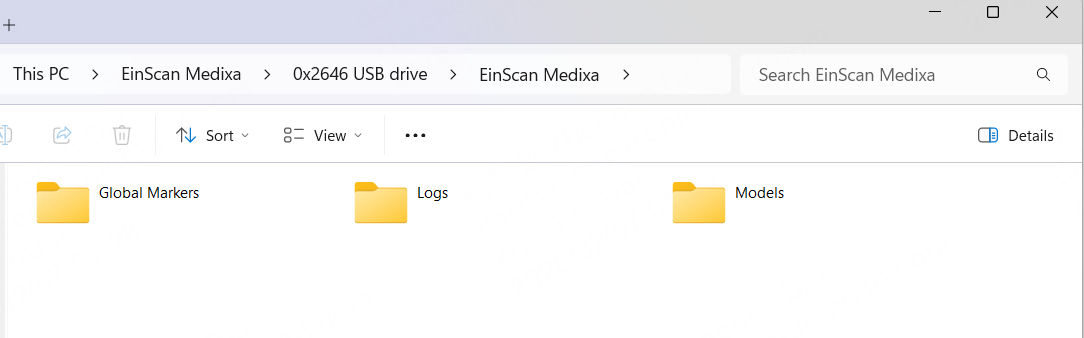
Export Device Log to PC
1. Connect the scanner to a PC using a USB-C cable
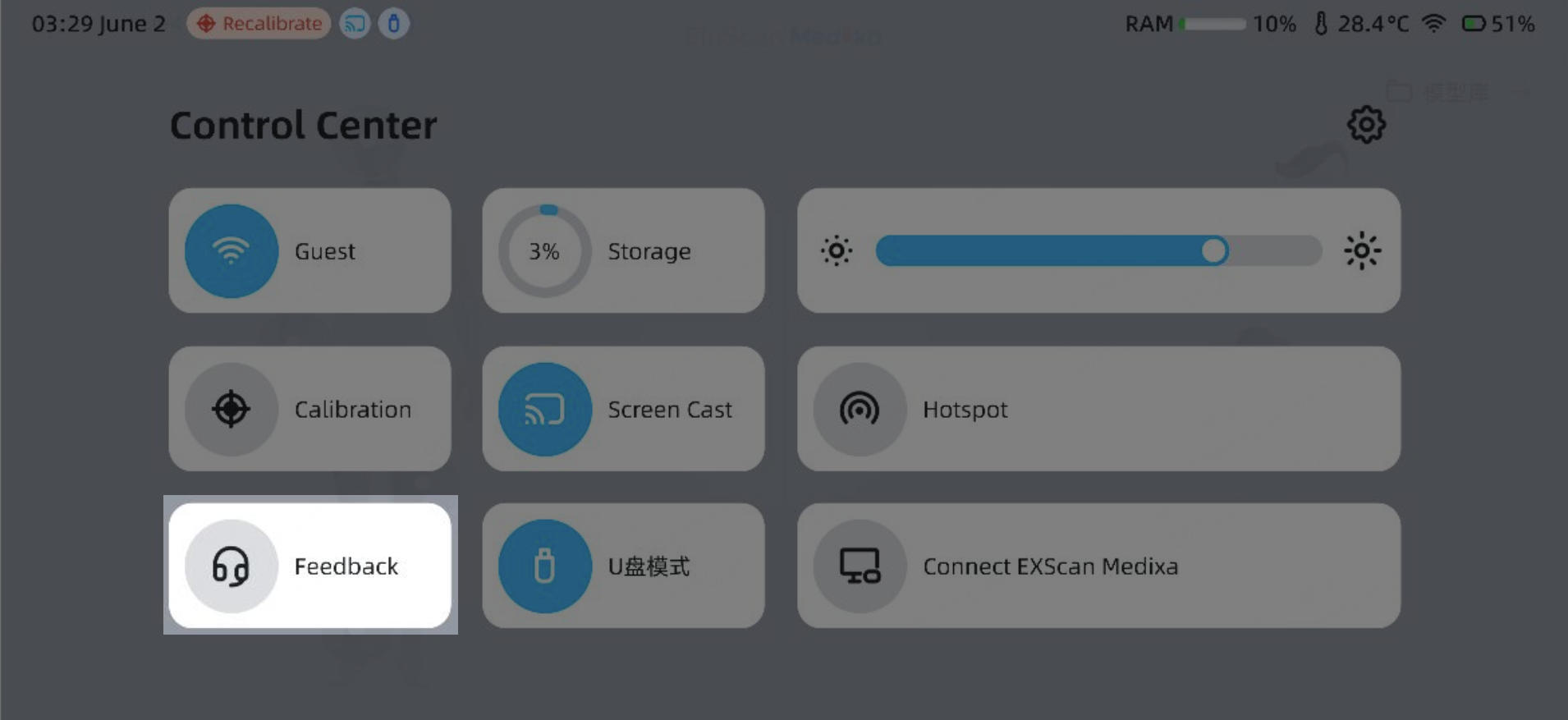
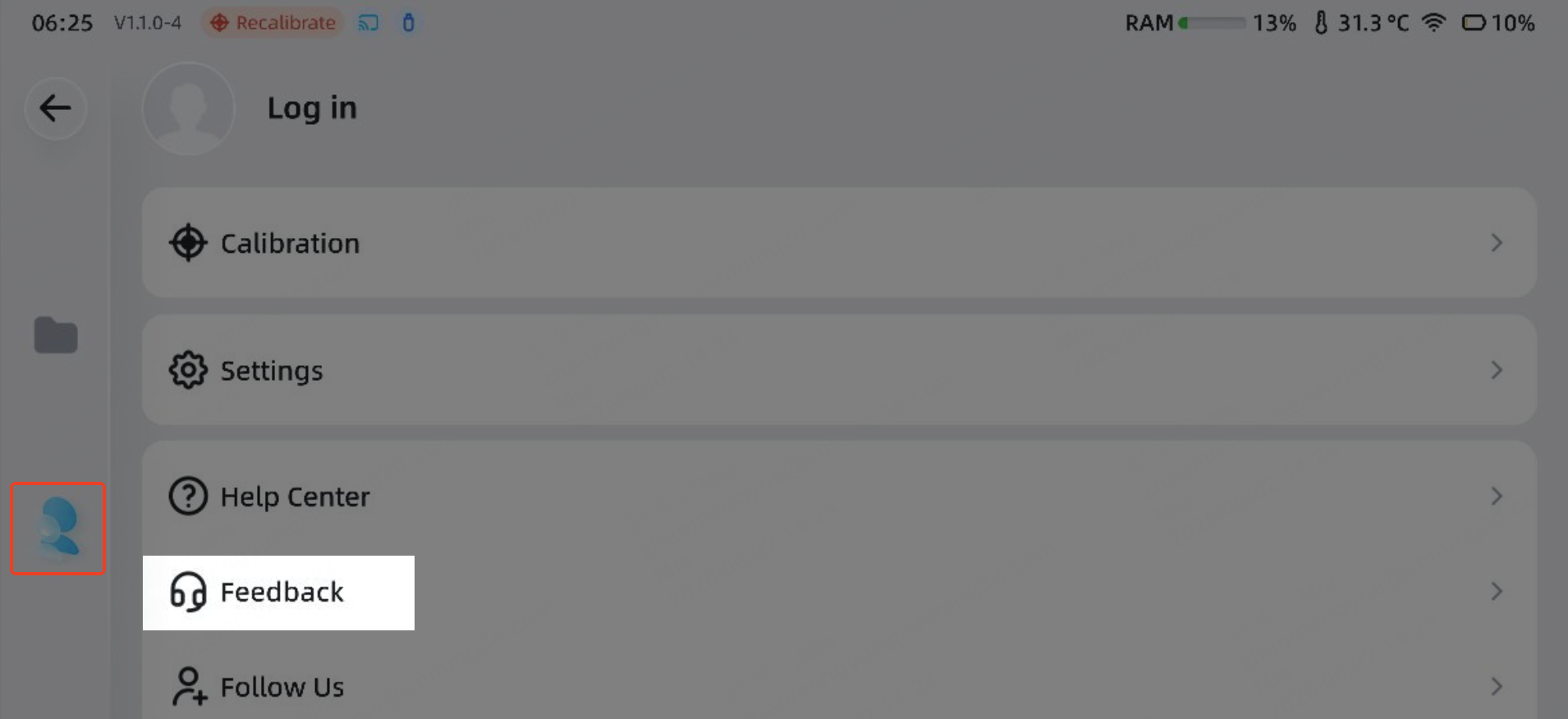
2. Naviagate "Feedback" in Control Center or in Log in interface
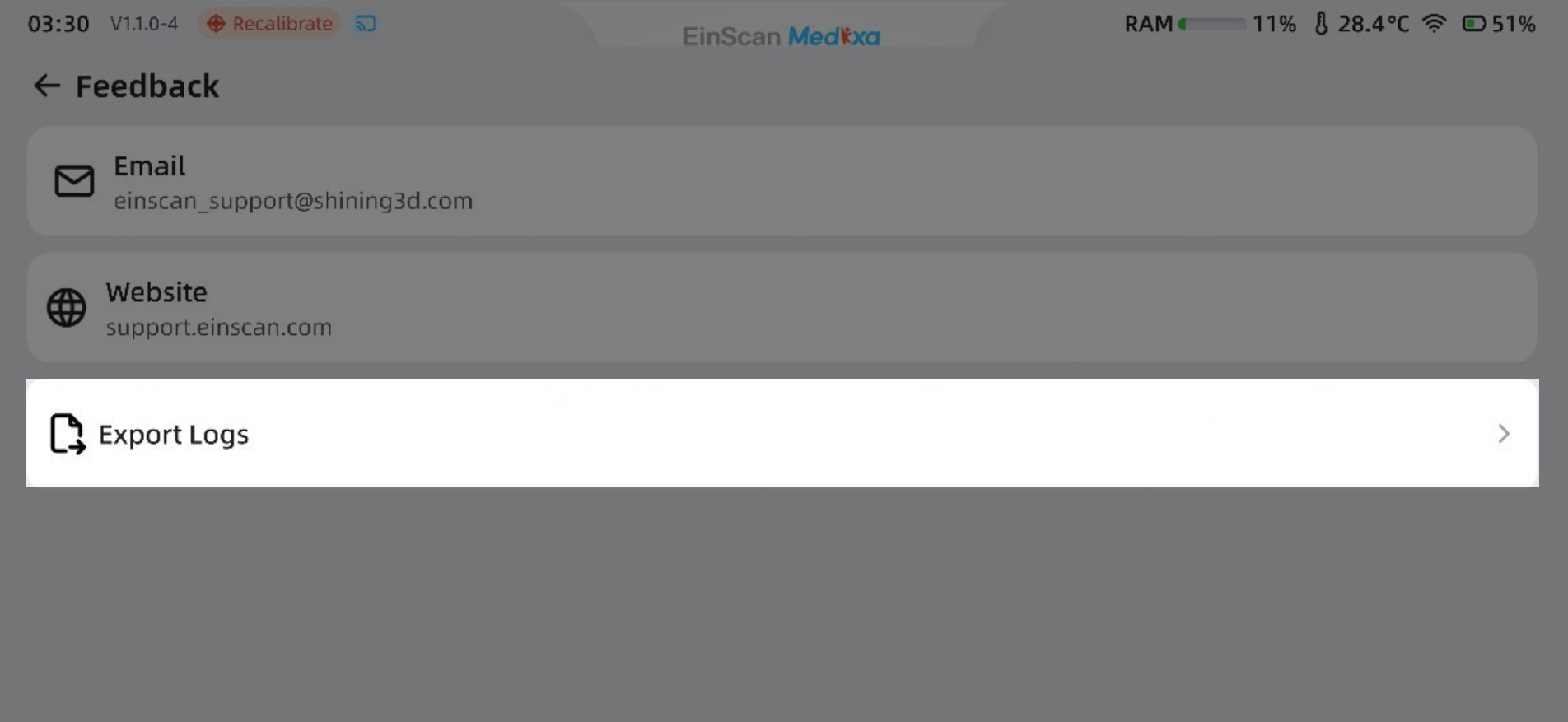
3. Click "Export Logs"
4. Open the Windows File Explorer
Navigate to the device “EinScan Medixa,”
Find the files under the "Logs” folder
Copy & Paste to PC